Designing Worksheets and Handouts
in Education(Primary,Secondary, Higher)About this course
Designing Worksheets and Handouts is a practical, text‑based course that helps teachers create clear, engaging, and learner‑friendly classroom materials. Through simple explanations, examples, and step‑by‑step guidance, teachers learn how to plan, structure, and design worksheets that support understanding, practice, and independent learning. The course also explores how to write clear instructions, choose the right activity types, and use visuals effectively without overwhelming learners. With a focus on accessibility, inclusivity, and real classroom needs, this course equips teachers with the confidence to produce professional, purposeful worksheets and handouts that strengthen lesson delivery and improve learner outcomes.
Comments (0)
This module introduces teachers to the essential role that worksheets and handouts play in effective lesson delivery. Teachers learn the difference between the two tools: worksheets are for active practice, while handouts provide supportive information. The module explains how worksheets increase learner engagement by encouraging participation, practice, and independent thinking. It also highlights when each tool is most appropriate—using worksheets for skill application and assessment, and handouts for guiding understanding and providing reference material. Finally, the module shows how worksheets support continuous assessment by giving teachers quick, practical evidence of learner progress. By the end, teachers can confidently choose the right tool for the right learning moment and understand how worksheets reinforce lesson objectives.
In this assignment, you will analyze a real lesson from your own teaching and decide whether a worksheet, a handout, or both would best support learner understanding and engagement. This activity helps you apply the concepts from Module 1 to your everyday classroom practice.
Module 2 teaches teachers how to plan a worksheet or handout with purpose and clarity. It begins with defining a strong learning objective, which guides every design decision. Teachers learn how to choose the right activity type—recall, practice, application, or extension—based on what learners need to achieve. The module also explains how to match difficulty to learner level so tasks are challenging but not overwhelming. Finally, teachers explore how to plan for inclusivity and accessibility, ensuring all learners can participate successfully. By the end, teachers can outline a worksheet confidently and design with intention rather than guesswork.
This planning template helps teachers outline a worksheet or handout before they begin designing it. It guides them through defining a clear learning objective, choosing the right activity type, matching difficulty to learner level, and planning for inclusivity and accessibility. The template also includes a simple structure for sketching the layout, ensuring the final worksheet is purposeful, organised, and learner‑friendly. Teachers can use this template for any subject or grade level, making it a practical tool for designing with intention rather than guesswork.
In this assignment, you will plan a worksheet or handout before creating it. The goal is to show that you can define a clear learning objective, choose the right activity type, match difficulty to learner level, and plan for inclusivity and accessibility.
This module explores how the visual layout of a worksheet directly affects learner understanding, confidence, and focus. Teachers learn how to organize content in a simple, predictable structure using titles, instructions, sections, and numbering to guide learners through tasks. The module highlights the importance of spacing, margins, and alignment in creating calm, readable pages that reduce confusion. Teachers also discover how headings and subheadings help break information into manageable parts, and how avoiding clutter prevents cognitive overload. By the end of the module, teachers understand how thoughtful layout choices make worksheets clearer, more accessible, and more effective for all learners.
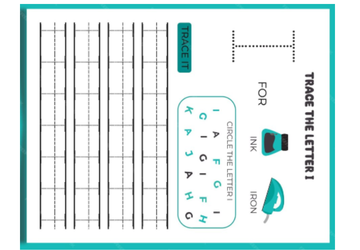
This downloadable example provides a clear, easy‑to‑follow worksheet layout that teachers can use as a model when designing their own classroom materials. It demonstrates how to apply the layout principles from Module 3, including spacing, margins, alignment, headings, and sectioning. The example shows a simple, uncluttered structure with a title, short instructions, grouped questions, and generous writing space—helping teachers see how thoughtful design supports readability and learner confidence. Teachers can adapt this layout for any subject or grade level, making it a practical reference for creating clean, effective worksheets that reduce cognitive overload and improve comprehension.
In this assignment, you will apply the layout and structure principles from Module 3 to design a simple, clear worksheet for your subject and grade level. The goal is to demonstrate your ability to organize content visually, use spacing effectively, and avoid clutter.
Module 4 teaches teachers how to write clear, simple instructions that learners can understand the first time. The module emphasizes using short, action‑focused language, providing examples to guide learners, and avoiding ambiguity that causes confusion. Teachers also learn how to scaffold instructions by breaking tasks into steps, supporting mixed‑ability classrooms, and reducing cognitive overload. By the end, teachers can design instructions that save classroom time, increase learner independence, and make worksheets easier to use.
This downloadable example shows teachers the difference between unclear, confusing instructions and clear, simple, actionable ones. It highlights common mistakes—such as long sentences, vague wording, and mixed tasks—and contrasts them with strong examples that use short verbs, simple language, and step‑by‑step scaffolding. The resource also includes model examples that demonstrate how to guide learners using sample answers and numbered steps. Teachers can use this example as a quick reference when writing their own worksheet instructions, helping them reduce confusion, support mixed‑ability learners, and save classroom time.
In this assignment, you will practice writing clear, actionable instructions for a worksheet or handout. The goal is to show that you can use simple language, avoid ambiguity, provide examples, and scaffold tasks for mixed‑ability learners.
This rubric evaluates how well teachers apply Module 4 principles when writing worksheet instructions. It assesses clarity, simplicity, use of action verbs, inclusion of examples, scaffolding for mixed‑ability learners, and the depth of reflection. The rubric helps teachers understand exactly what strong, learner‑friendly instructions look like and guides them toward improving clarity and reducing classroom confusion.
Module 5 teaches teachers how to design strong worksheet activities and questions. They explore common activity formats—such as fill‑in‑the‑blank, matching, short answer, tables, diagrams, and application tasks—and learn how to choose the right format for their learning objective. The module also shows teachers how to design questions that check real understanding, not memorization, and how to balance lower‑order and higher‑order thinking using Bloom’s Taxonomy. Finally, teachers learn how to create age‑appropriate tasks that match learners’ reading level, cognitive ability, and background knowledge. By the end, teachers can design varied, engaging activities that support deep learning.
This downloadable reference sheet gives teachers a quick overview of common worksheet activity formats and how to use them effectively. It highlights when to use fill‑in‑the‑blank, matching, short answer, tables, diagrams, multiple‑choice, application tasks, and higher‑order thinking activities. Each activity type includes simple tips and a practical example, helping teachers choose the right format for their learning objective. The sheet supports teachers in designing varied, engaging tasks that check real understanding and align with Bloom’s levels, making it a practical tool for everyday lesson planning.
This reference sheet gives teachers a simple, practical overview of Bloom’s Taxonomy and how to use each level when designing worksheet questions. It explains the six thinking levels—from Remember to Create—and provides clear question starters and examples for each one. The sheet helps teachers balance lower‑order and higher‑order thinking, choose the right cognitive level for their learning objective, and design tasks that build understanding step‑by‑step. It’s a quick, accessible tool for creating more intentional, engaging, and cognitively rich worksheets.
In this assignment, you will design a short worksheet activity that shows your ability to choose an appropriate activity type, write clear questions, and balance lower‑order and higher‑order thinking using Bloom’s levels.
Module 6 teaches teachers how to use visual elements with purpose and simplicity. Teachers learn when to include icons, images, and diagrams — and when to avoid them. The module emphasises reducing decoration, using bold and colour sparingly, and designing worksheets with strong visual hierarchy so learners know where to look and what to do. By the end, teachers can enhance worksheets without overwhelming learners, creating materials that are clear, accessible, and visually calm.
Task Overview
In this assignment, you will redesign a worksheet section to show your ability to use visuals purposefully, reduce unnecessary decoration, and apply visual hierarchy. The goal is to demonstrate clarity, simplicity, and intentional design.
This rubric evaluates how effectively teachers apply visual‑design principles when redesigning a worksheet section. It assesses their ability to remove unnecessary decoration, use visuals purposefully, apply bold and color sparingly, and create a clear visual hierarchy that supports comprehension. The rubric helps teachers understand what clean, simple, learner‑friendly design looks like and guides them toward producing worksheets that are visually calm and easy to navigate.
Module 7 teaches teachers how to design worksheets that are accessible and inclusive for all learners. The module covers strategies for supporting learners with reading challenges, choosing readable fonts and spacing, simplifying language without lowering rigor, and offering alternative formats to reduce barriers. Teachers also learn the foundations of Universal Design for Learning, ensuring materials are usable by diverse learners from the start. By the end, teachers can create worksheets that are clear, equitable, and supportive of every learner in the classroom.
In this assignment, you will redesign a worksheet task to make it more accessible and inclusive. The goal is to show that you can support learners with reading challenges, choose readable fonts and spacing, simplify language without lowering rigor, and provide alternative formats when needed.
This rubric evaluates how well teachers apply accessibility and inclusivity principles when redesigning a worksheet task. It assesses their ability to identify barriers for learners with reading challenges, simplify language without lowering rigor, improve readability through font and spacing choices, and provide alternative formats that support diverse learners. The rubric guides teachers toward creating materials that reflect universal design principles—clear, equitable, and accessible for all learners.
Module 8 teaches teachers how to refine and polish their worksheets through careful editing, alignment checks, small‑group testing, and thoughtful revision. Teachers learn to proofread for clarity and accuracy, ensure every question supports the lesson objective, and use learner feedback to strengthen their materials. By the end of the module, teachers can produce clean, error‑free worksheets and develop a habit of continuous improvement that enhances the quality of their teaching materials over time.
In this assignment, you will take a worksheet you have already created (or a section of one) and refine it through a structured editing, reviewing, and testing process. The goal is to demonstrate your ability to polish materials, check alignment, and revise based on real learner feedback.
This rubric evaluates how effectively teachers edit, review, and refine their worksheets using Module 8 principles. It measures their ability to improve clarity and accuracy, ensure alignment with learning objectives, test materials with learners, and revise based on feedback. The rubric guides teachers toward producing polished, error‑free worksheets and helps them build a habit of continuous improvement through thoughtful reflection and iterative design.
Module 9 teaches teachers how to use digital tools to create clean, professional worksheets with confidence. Teachers learn when to use Word, PowerPoint, or Google Docs, how to format tables and shapes, and how to export worksheets as PDFs for consistent printing. The module also covers organizing and storing worksheets so they can be reused and adapted over time. By the end, teachers can produce polished materials quickly and maintain a well‑structured digital library of resources.
In this assignment, you will create or redesign a worksheet using Word, PowerPoint, or Google Docs. The goal is to demonstrate your ability to format tables, shapes, and text boxes; export a clean PDF; and organize your files for future reuse.
This rubric evaluates how effectively teachers use digital tools to create clean, professional worksheets. It measures their ability to choose an appropriate tool, apply consistent formatting, use tables and shapes correctly, export a polished PDF, and organize their files for future reuse. The rubric guides teachers toward building confidence with Word, PowerPoint, and Google Docs, and helps them develop efficient, repeatable workflows for producing high‑quality digital materials.
Module 10 provides teachers with practical, ready‑to‑use worksheet examples across literacy, numeracy, science, and social studies. Teachers learn how to adapt templates for different grade levels and how to build a personal worksheet library that saves time and supports consistent, high‑quality teaching. By the end of the module, teachers leave with a collection of templates they can customise immediately, giving them confidence and efficiency in their worksheet design practice.
In this assignment, you will select one of the sample templates from Module 10 and adapt it for a specific subject and grade level. You will also begin building your personal worksheet library by organising and saving your template for future reuse.
For your final assignment, you will design one worksheet and one learner handout for a lesson of your choice.
This is your opportunity to demonstrate everything you’ve learned across Modules 1–10.
Your materials must be classroom‑ready, polished, and aligned with a clear learning objective.
This course guided teachers through a complete journey of designing clear, accessible, and professional worksheets. They learned how to write strong objectives, structure activities, simplify instructions, and create layouts that support all learners. Each module built practical skills — from readability and accessibility to digital formatting and subject‑specific templates. Teachers also learned how to test worksheets with learners, revise based on feedback, and organize their materials into a reusable worksheet library. By the end, they leave with practical tools, ready‑to‑use resources, and the confidence to design polished, inclusive worksheets for any lesson.